¶ Step 4: Milestones in Business Improvement Plan (BIP)
Milestones are the core checkpoints of a Business Improvement Plan. They structure the improvement journey by breaking it down into smaller, trackable parts. Each milestone can include trainings, assessments, meetings, pre-session activities, post-session activities, and surveys to ensure structured progression.
This section provides detailed documentation on creating and managing milestones.
¶ 4.1 Creating a Milestone
-
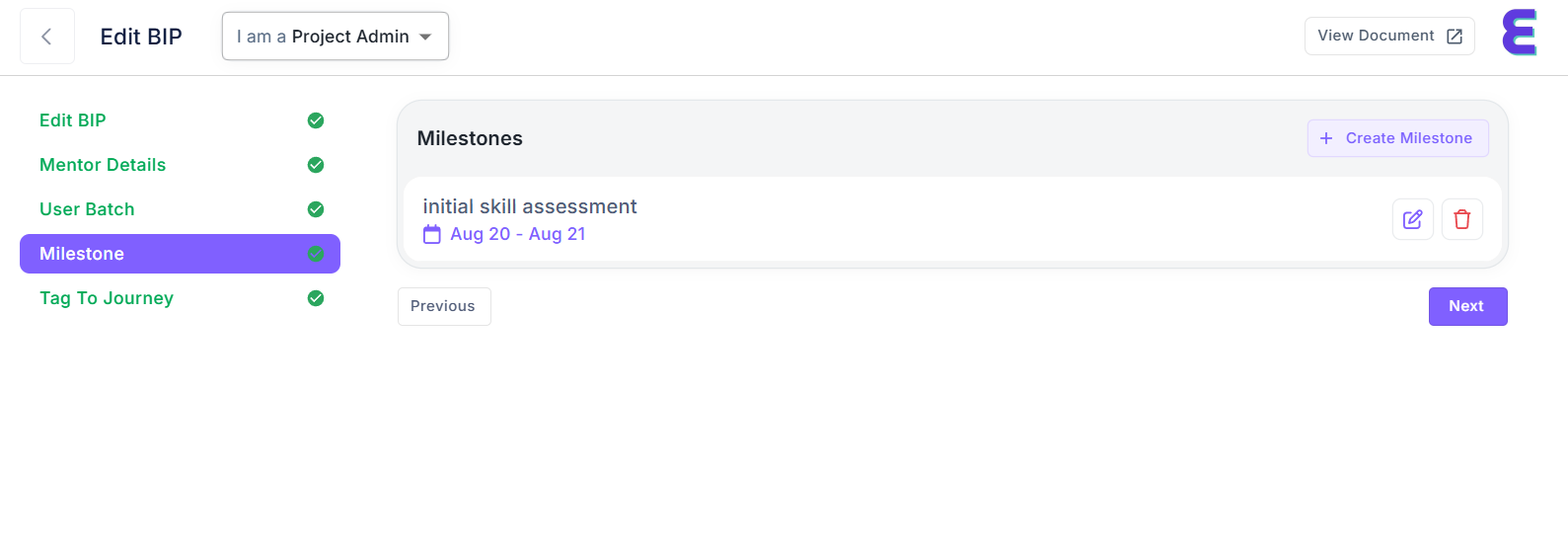
Navigate to the Milestone section from the left-hand menu.
-
Click + Create Milestone.
-
Fill in the following details:
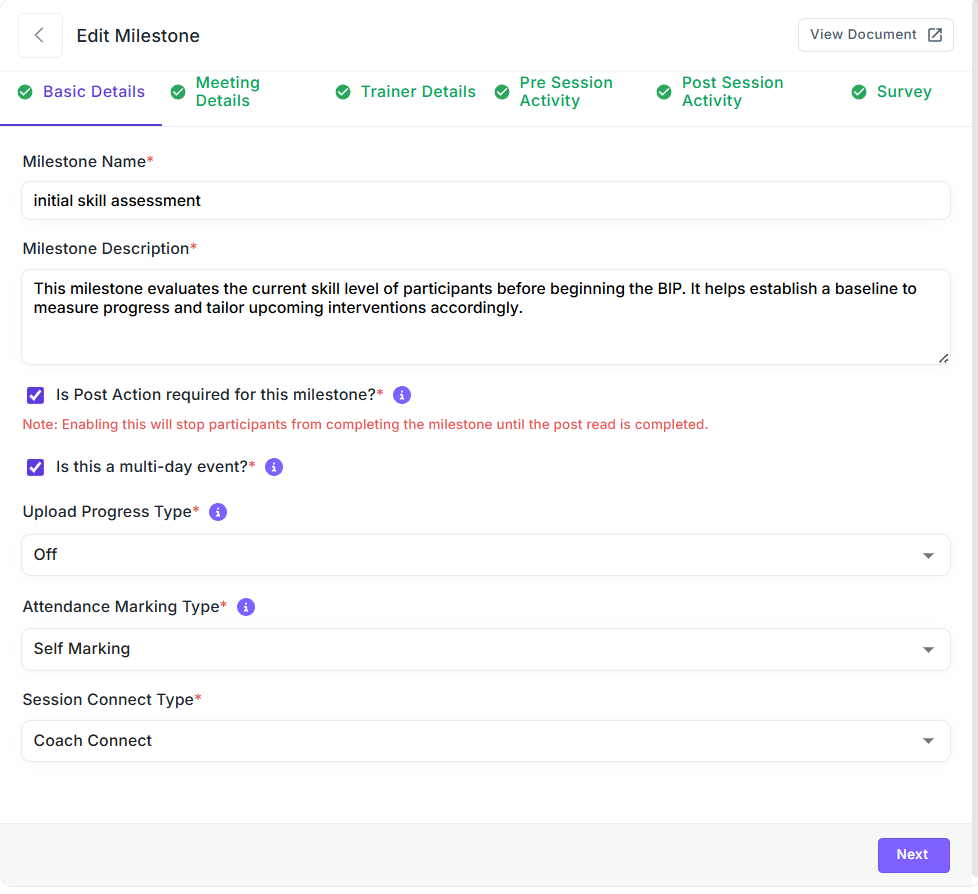
- Milestone Name – Enter a descriptive title for the milestone.
- Description – Provide a clear explanation of what this milestone will cover.
Example:
- Milestone Name: Initial Skill Assessment
- Description: "This milestone evaluates the current skill level of participants before beginning the BIP. It helps establish a baseline to measure progress and tailor upcoming interventions accordingly."
-
Once the details are entered, the milestone will appear in the milestone list.
¶ 4.2 Basic Details
Each milestone has customizable settings to control participation and progress. The following options are available:
- Post Action Required – Decide if follow-up actions are needed after milestone completion.
- Multi-day Event – Select Yes/No depending on whether the milestone spans more than one day.
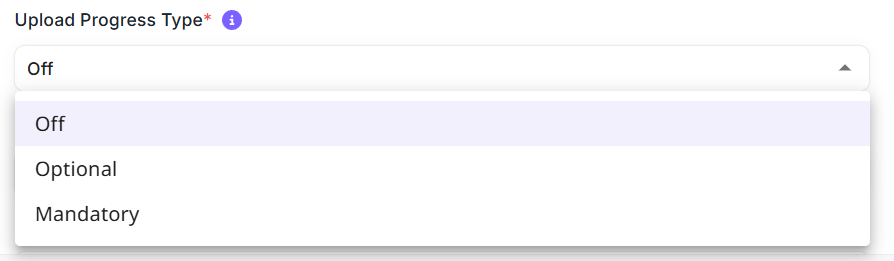
- Upload Progress Type –
- Off: No uploads required.
- Optional: Participants may upload but not mandatory.
- Mandatory: Upload required for completion.
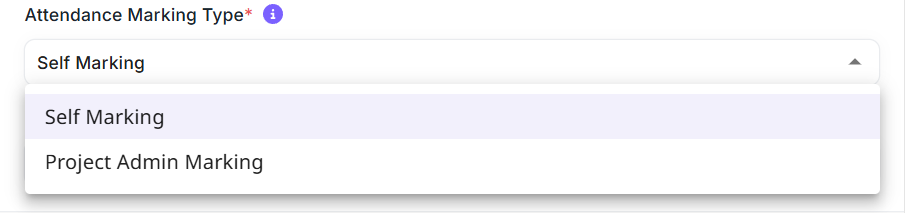
- Attendance Marking Type –
- Self Marking: Participants mark their own attendance.
- Project Admin Marking: Admin validates attendance.
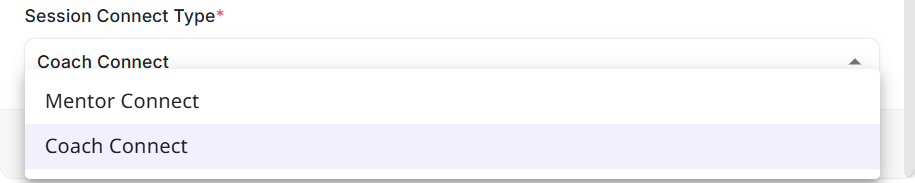
- Session Connect Type –
- Mentor Connect: Mentor-led session.
- Coach Connect: Coach-led session.
¶ 4.3 Meeting Details
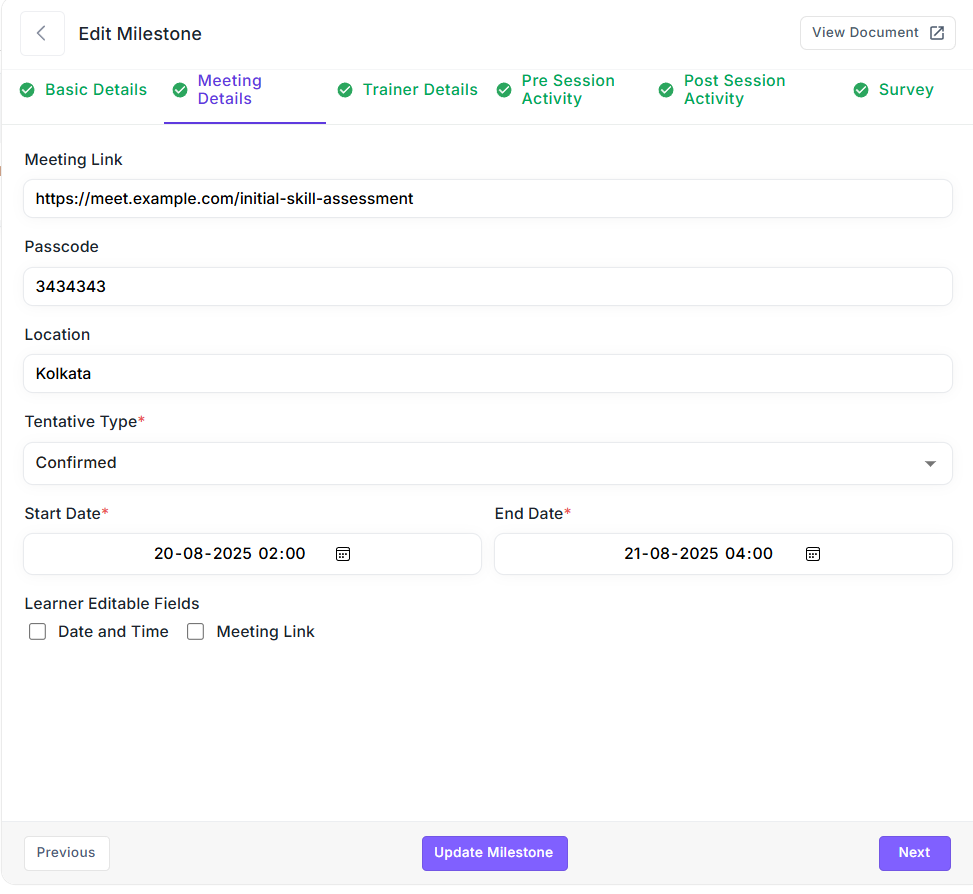
To manage live sessions under a milestone, meeting details can be added:
- Meeting Link – Add the session’s URL (Zoom, Teams, Google Meet, etc.).
- Passcode – Enter the passcode if required.
- Location – Mention the physical location if it’s an offline event.
- Tentative Type – Choose whether the meeting is Tentative or Confirmed.
- Start Date & Time – Define when the milestone session will begin.
- End Date & Time – Define when it will conclude
¶ 4.4 Trainer Details
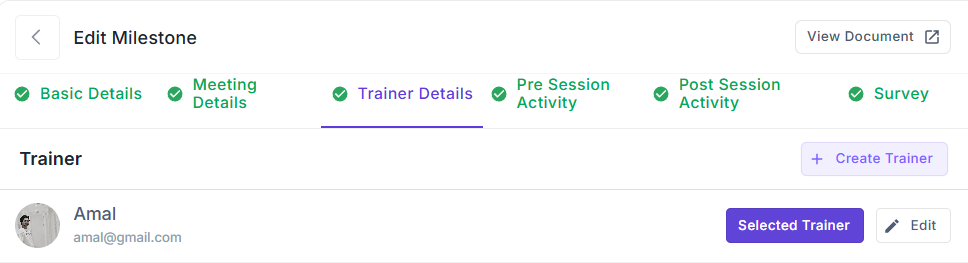
Trainers can be assigned to specific milestones.
Steps:
- Click + Create Trainer to add a new trainer.
- Enter the trainer’s details (name, email, etc.).
- Select the trainer from the list under Selected Trainer to assign them to the milestone.
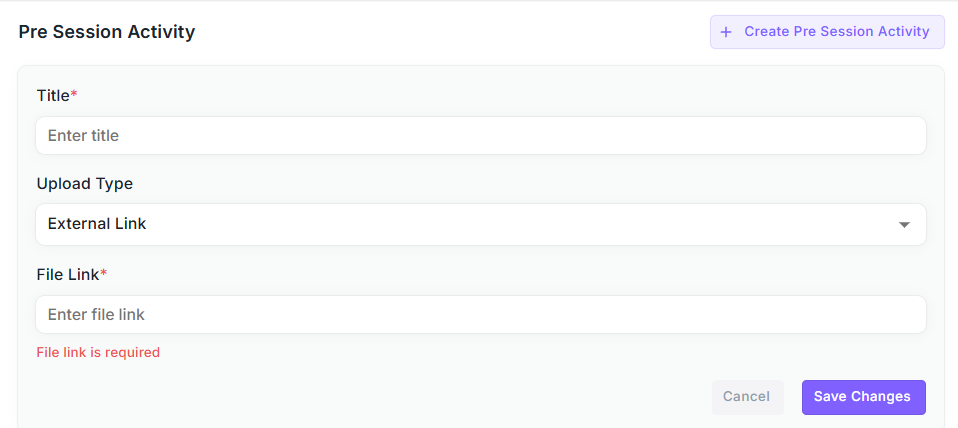
¶ 4.5 Pre-Session Activity
Pre-Session Activities are learning resources that participants must review before attending the milestone session.
Steps:
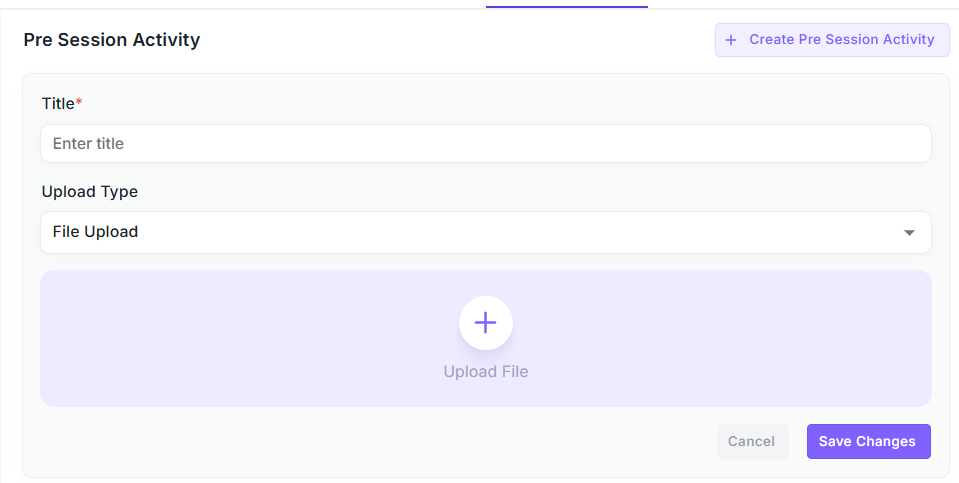
- Navigate to the Pre Session Activity tab.
- Click + Create Pre Session Activity.
- Add a Title for the resource.
- Select Upload Type:
- File Upload – Upload PDFs, PPTs, or documents.
- Link Upload – Provide an external resource link.
- Save the pre-session activity.
¶ 4.6 Post-Session Activity
Post-Session Activities are resources provided after a session or training to reinforce learning.
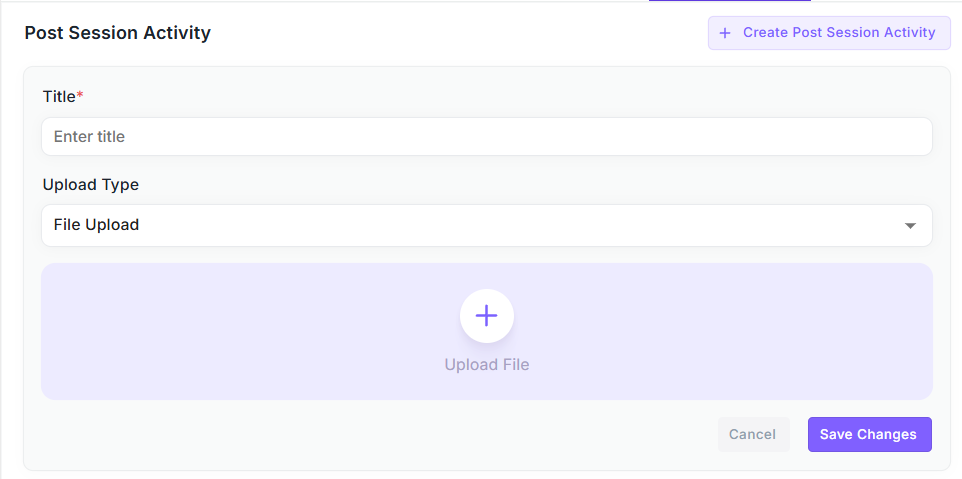
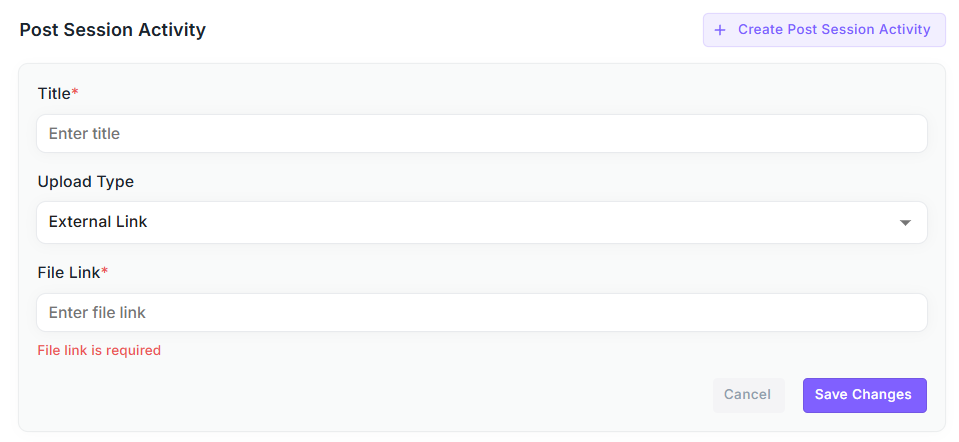
Steps:
- Navigate to the Post Session Activity tab.
- Click + Create Post Session Activity.
- Fill in the following details:
- Title – Example: “Machine Learning Notes”.
- Upload Type – Choose one of the following:
- File Upload (PDF, PPT, DOC, etc.)
- Link Upload (external URL)
- Upload the file or paste the link.
- Click Save Changes.
Once saved, the Post-Session Activity appears in the list. From there:
- Edit – Change the file/link or title.
- Delete – Remove it.
¶ 4.7 Surveys
Surveys help collect structured feedback from participants after a milestone.
Steps:
-
Navigate to the Survey tab.
-
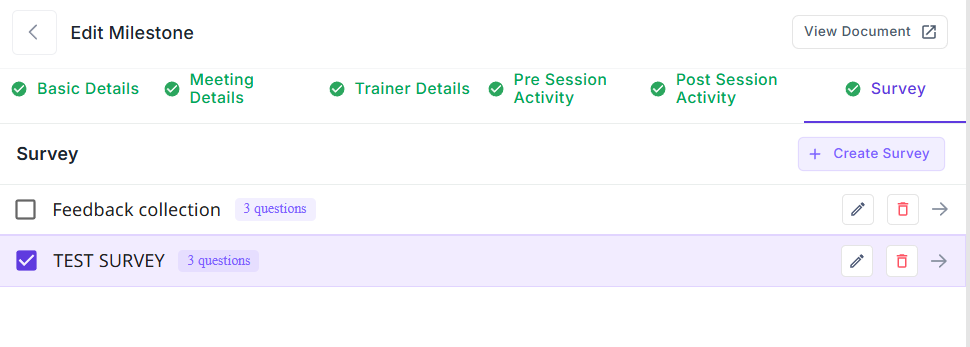
The Survey List displays all created surveys. From here you can:
- Select which survey is active.
- Edit or Delete surveys.
-
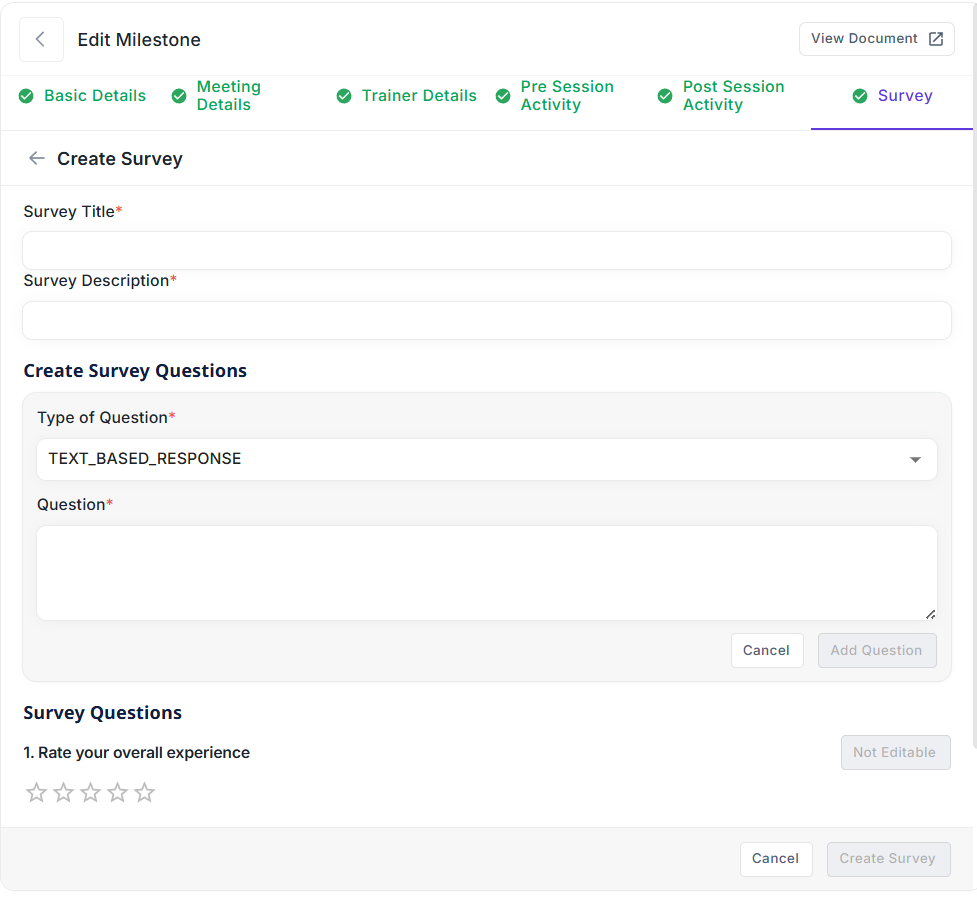
To create a new survey, click + Create Survey and fill in:
- Survey Title (e.g., “Training Feedback”).
- Survey Description (purpose of the survey).
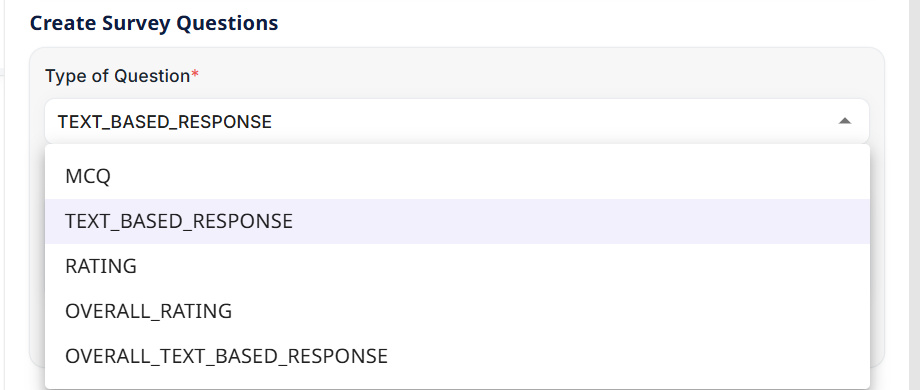
- Add questions based on the following types:
- MCQ – Multiple Choice Question.
- TEXT_BASED_RESPONSE – Open text answer.
- RATING – Rate a specific aspect.
- OVERALL_RATING – One final overall star rating.
- OVERALL_TEXT_BASED_RESPONSE – Final overall text feedback.
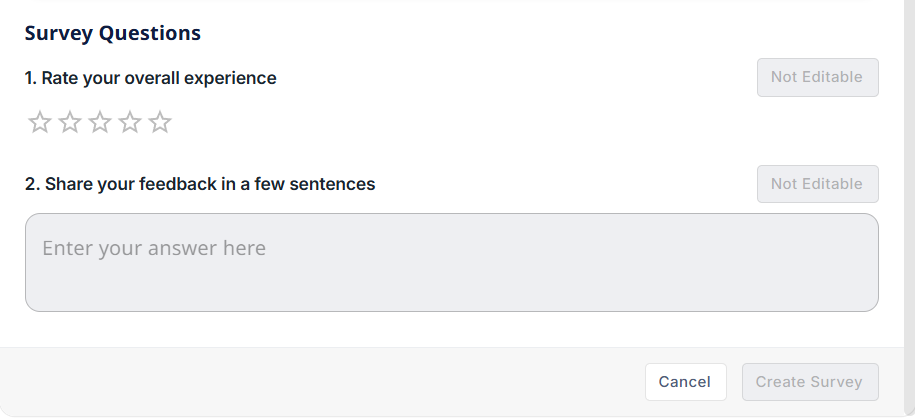
Examples:
- “Rate your overall experience” – Rating scale.
- “Share your feedback in a few sentences” – Text input.
¶ Conclusion on Milestones
Milestones serve as structured checkpoints within the Business Improvement Plan, ensuring participants are guided through:
- Clear objectives (Milestone Details)
- Attendance and progress validation (Basic Details)
- Scheduled sessions (Meeting Details)
- Assigned trainers (Trainer Details)
- Guided learning (Pre-Session Activities & Post-Session Activities)
- Feedback collection (Surveys)
This structured milestone system ensures that every stage of the improvement journey is well-documented, measurable, and actionable.