¶ Eubrics – How to Create and Edit a BIP/ALP (Business Improvement Plan)
This guide walks you through the full process of creating a Business Improvement Plan (BIP) in the Eubrics platform—from locating the module to filling out all required details.
BIPs are structured learning or development journeys assigned to users. They consist of milestones, mentors, timelines, and more.
¶ 1. Navigating to the BIP Dashboard
To begin:
- Log in as a Project Admin
- From the left sidebar, click on the
BIPstab - You will land on the BIP Dashboard, where you can:
- View existing BIPs
- Search by BIP name
- Track status, number of participants, and milestones
¶ 2. Creating a New BIP
¶ Step-by-Step:
- Click the “Create(+)” button (on top-right)
- You will be taken to a 5-step setup process:
- Create BIP
- Mentor Details
- User Batch
- Milestone
- Tag to Journey
Info: After creating a BIP you can also edit a BIP which you can find it in STEP 1.
¶ 3. Step 1 – Edit BIP Details
This is where you define the core attributes of the BIP.
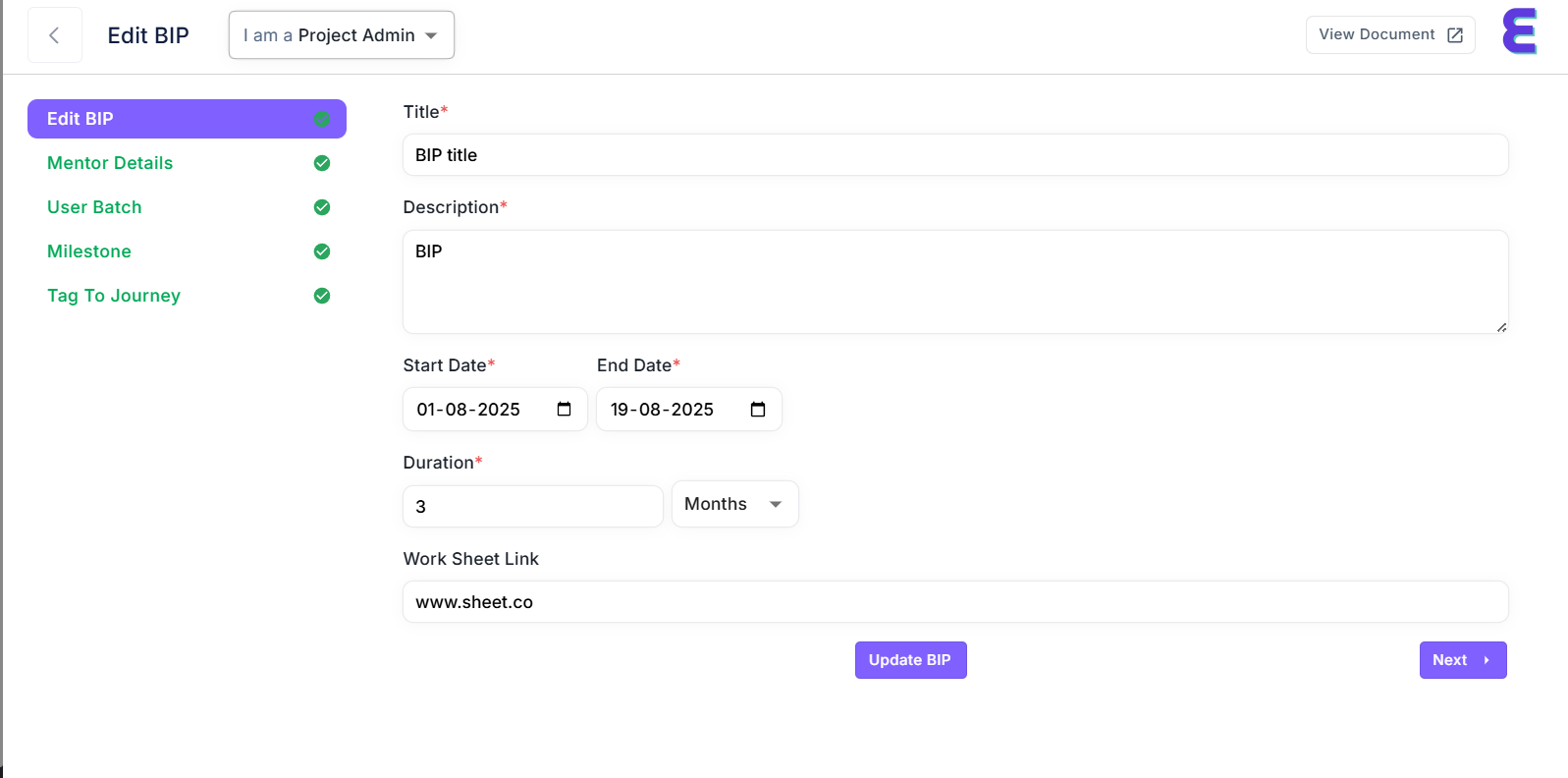
¶ Fill in the following fields:
| Field | Description | Required |
|---|---|---|
| Title | Name your BIP clearly (e.g., QA Coaching – Aug 2025) |
✅ Yes |
| Description | A short explanation of what this BIP aims to achieve | ✅ Yes |
| Start Date | When the BIP begins | ✅ Yes |
| End Date | When it ends (must be after start date) | ✅ Yes |
| Duration | Duration of the program.This data is only for informing the user. | ✅ Yes |
| Worksheet Link | Optional link to shared worksheet or resource | ❌ Optional |
¶ Actions:
- Click
Update BIPto save - Then click
Next →to proceed
¶ 4. Next Steps in BIP Setup
After saving the BIP details, continue through the following stages:
¶ ✅ Mentor Details
- Assign one or more mentors to guide users through the journey
¶ ✅ User Batch
- Select the users (individuals or groups) who will participate in this BIP
¶ ✅ Milestone
- Add structured steps, such as assessments, sessions, or goals
- Include start date, end date, title, and completion criteria
¶ ✅ Tag to Journey
- Optionally link this BIP to a larger user journey or program
¶ 5. BIP Dashboard Overview
After creating a BIP, it will appear in the dashboard with the following:
| Column | Description |
|---|---|
| BIP Name | The title you assigned |
| Total Milestones | Count of all milestones added |
| Status | e.g., Draft, Ready, In Progress |
| Start Date | When the plan kicks off |
| Participants | Number of users enrolled |
| Actions | Edit, View Document, Track Progress |
¶ Tips for Success
- Choose a concise, clear title
- Set realistic start and end dates
- Keep 2–4 milestones per BIP for clarity
- Use the worksheet field to link helpful documents
- Monitor progress regularly via the Project Analytics module
¶ Need Help?
- Email: support@eubrics.com
- Open a ticket directly fr