¶ How to Create Action Items
Action items are designed to drive habit formation and action-based learning. They require participants to apply knowledge to real-world scenarios. Below are the different types of action items and steps to create them.
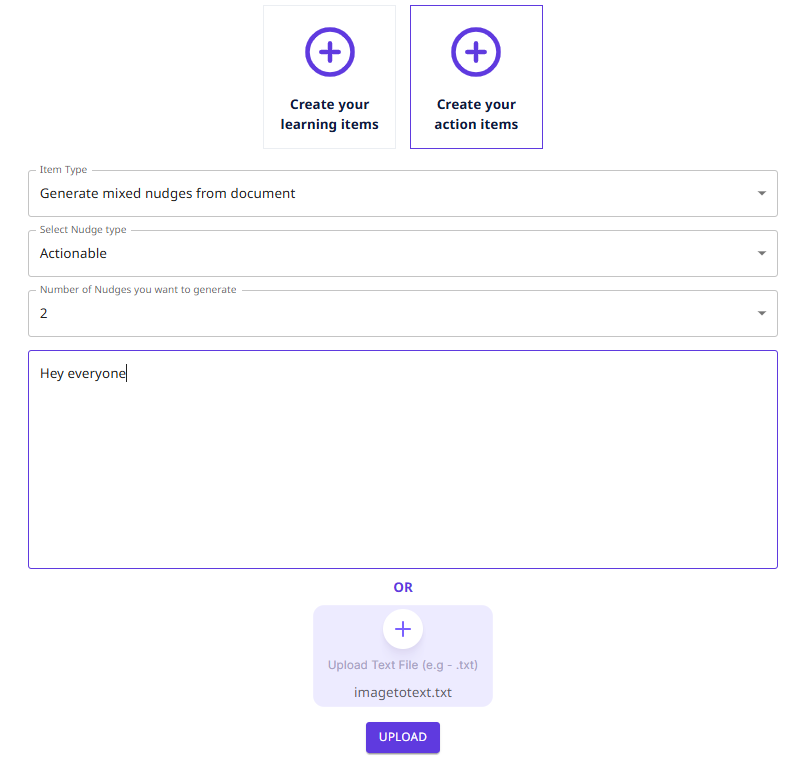
¶ 1. Generate Mixed Nudges from Document
Steps:
- Select Nudge Type (Actionable, Awareness).
- Choose the Number of Nudges to generate (1, 2, 3, 4, 5, 10, 20, 30).
- Enter text in the provided field or Upload a Text File (e.g.,
.txt). - Click Submit to generate nudges based on the document content.
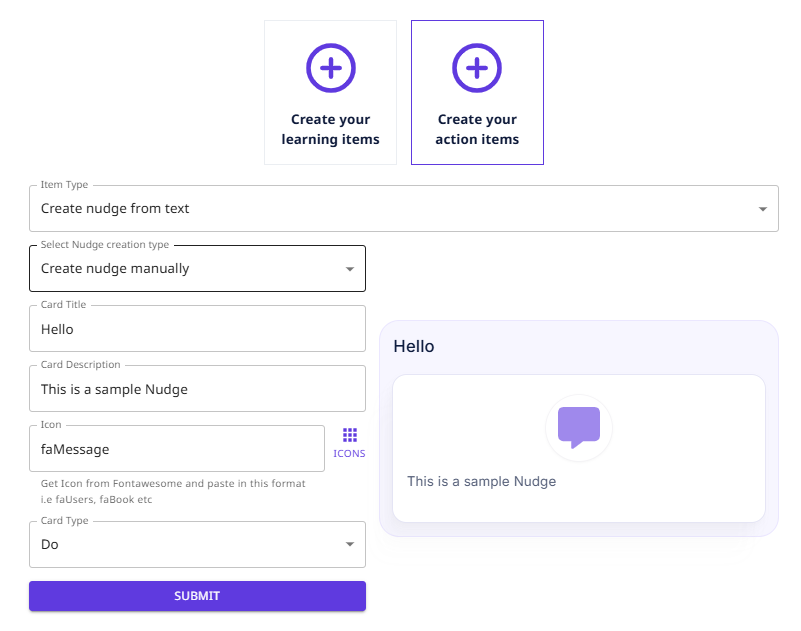
¶ 2. Create Nudge from Text
Steps:
- Select Nudge Creation Type as Manually.
- Enter the Card Title and Card Description.
- Choose an Icon from FontAwesome and paste it in the format (e.g.,
faUsers,faBook). - Select the Card Type (Do & Don’t).
- Click Submit to save the nudge.
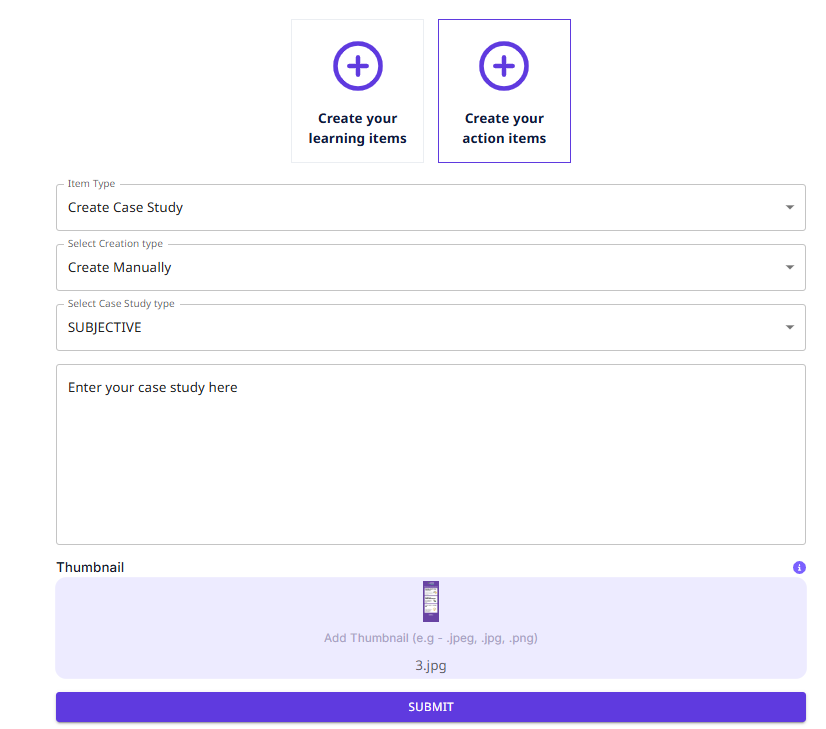
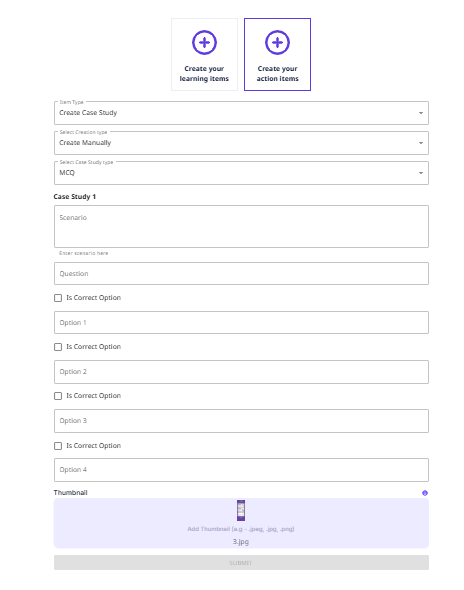
¶ 3. Create Case Study
Steps:
- Select Creation Type as Manually.
- Choose the Case Study Type (Subjective, MCQ).
- Upload a Thumbnail (e.g.,
.jpeg, .jpg, .png). - Click Submit to create the case study.
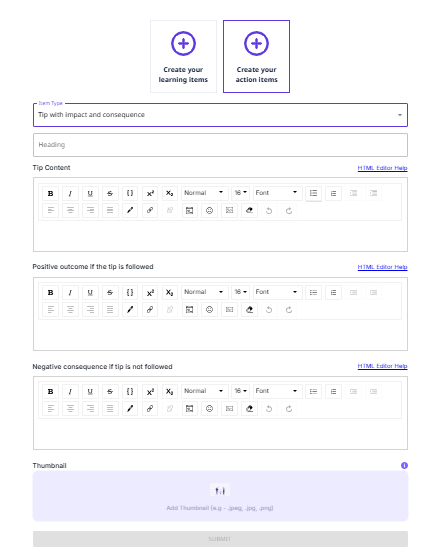
¶ 4. Tip with Impact & Consequence
Steps:
- Enter the Heading.
- Add the Tip Content.
- Specify the Positive Outcome if the tip is followed.
- Define the Negative Consequence if the tip is not followed.
- Upload a Thumbnail (e.g.,
.jpeg, .jpg, .png). - Click Submit to create the tip.