¶ Success Profile
A Success Profile in Eubrics defines the key competencies, behaviors, and skills required for an individual to excel in a specific role or function. It acts as a benchmark to measure employees' performance, identify skill gaps, and align learning interventions.
Need of Success profile
- Role Alignment: Ensures employees are assessed based on skills relevant to their roles.
- Personalized Development: Helps identify skill gaps and design personalized learning journeys.
- Performance Benchmarking: Establishes a standard for measuring success within a role.
- Data-Driven Insights: Facilitates informed decision-making for employee development and talent management.
¶ How to Configure Success Profiles When Assessments Are On
The Success Profile must be configured to include the specific Eubrics skills tied to the relevant competencies. This ensures that:
- The assessments measure the correct skills.
- The results accurately reflect the user’s readiness or development in key areas.
Learn more about Eubrics skills.
¶ What happens when all Eubrics Skills are not tagged?
- Incomplete Assessments: Employees may not be evaluated on some critical skills.
- Gaps in Reporting: Reports will not reflect a complete picture of the employee’s performance.
- Inaccurate IDP: Individual Development Plans (IDPs) may not accurately address skill gaps.
¶ How to Configure Success Profiles When Assessments Are Off
- The Success Profile is primarily used to track competencies linked to learning journeys and modules.
- The setup is simpler, without the need for linking skills to assessments.
¶ How Does it Show to the User?
The Success Profile is visible to users in their profile, where they can view:
- The competencies and skills associated with their role.
- The learning journeys or modules assigned based on these competencies.
¶ How to Know If a Success Profile Is Missing for Any User?
- Check the Admin Dashboard for a list of users without Success Profiles.
- Missing profiles are flagged, and users will not have assigned competencies or linked learning paths.
¶ Validation for Missing Success Profiles
-
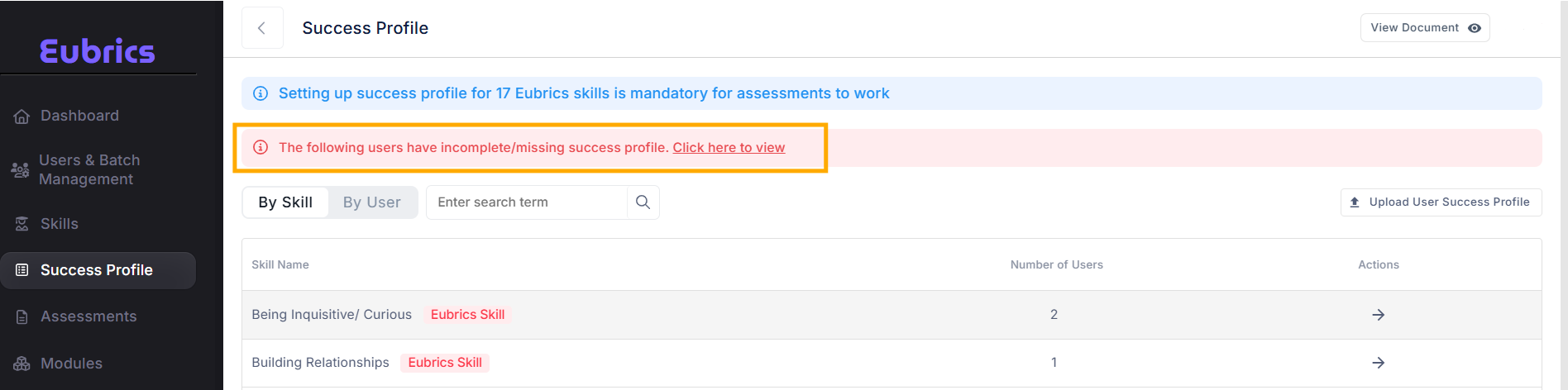
A screenshot of the error is attached below to indicate a missing profile.
-
When Success Profiles are missing:
- Assessments cannot measure progress accurately.
- Learning journeys or modules may not align with users' needs.
¶ Can a Success Profile Be Changed?
- Yes, but it should be done cautiously.
Why Shouldn't It Be Changed After a User Has Used the Platform?
- Changing the profile after assessments or learning journeys can lead to:
- Data Inconsistencies: Reports and scores may no longer align with the updated profile.
- Misaligned Development Plans: IDPs may become irrelevant or inaccurate.
Does the Report Change If Success Profile Is Changed After Assessments?
No, the report does not retroactively change if the Success Profile is modified after assessments are completed.
- The existing report will continue to reflect data based on the Success Profile that was in place at the time of the assessment.
¶ Can a Journey Module Be Tagged to a Person's IDP Journey That Does Not Match the Success Profile?
Yes, but it is not recommended.
Mismatched tagging can lead to:
- Unfocused development efforts.
- Misalignment between user needs and learning outcomes.
¶ Potential Issues:
- If the tagged level of a module is lower than the Success Profile level:
- It may not result in meaningful skill improvement.
- If the tagged level of a module is higher than the Success Profile level:
- It could overwhelm the employee and may be unreliable for development.
Note: For high-potential (hi-po) journeys, this is a common practice to challenge employees.
These recommendations are guidelines, not restrictions. You can adjust them based on organizational needs.
¶ How to Create Success Profile in Bulk?
-
Navigate to the Success Profiles section in the Admin dashboard.
-
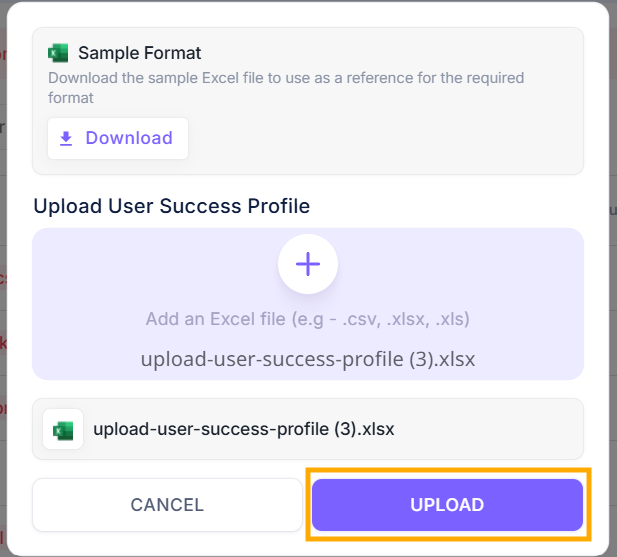
Click "Upload User Sucess Profiles in Bulk".
-
Download the sample format to structure the profile data.
-
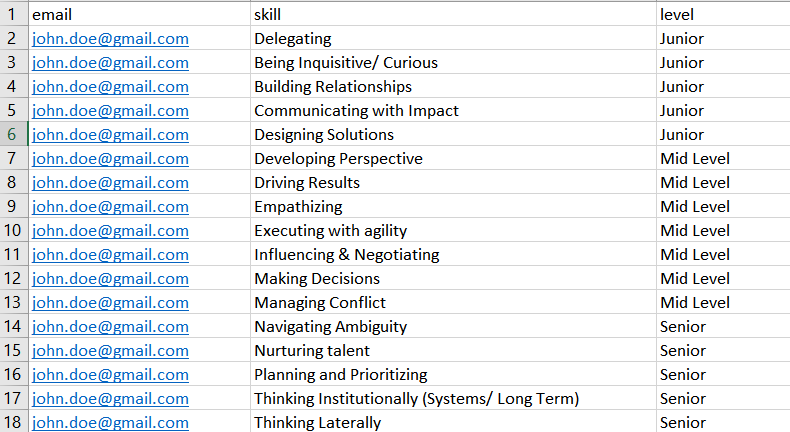
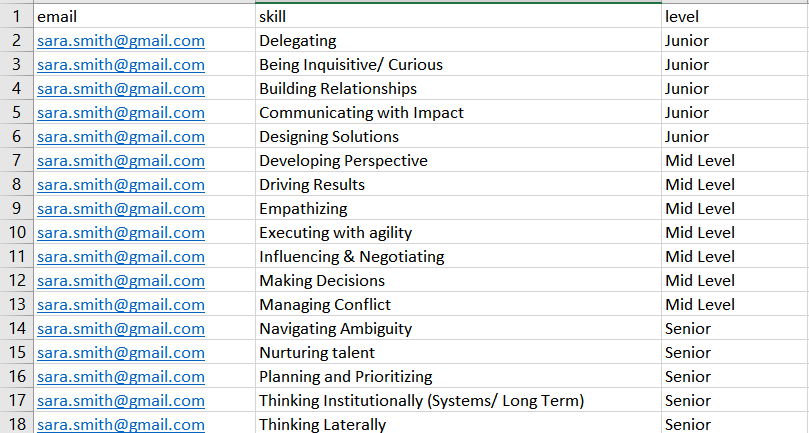
Fill out the necessary fields like email,skill, level for multiple users in Excel and upload the file.
-
Example files:
-
[Sample with Assessments]
-
[Sample without Assessments]
-
¶ How to Create Success Profile Individually?
-
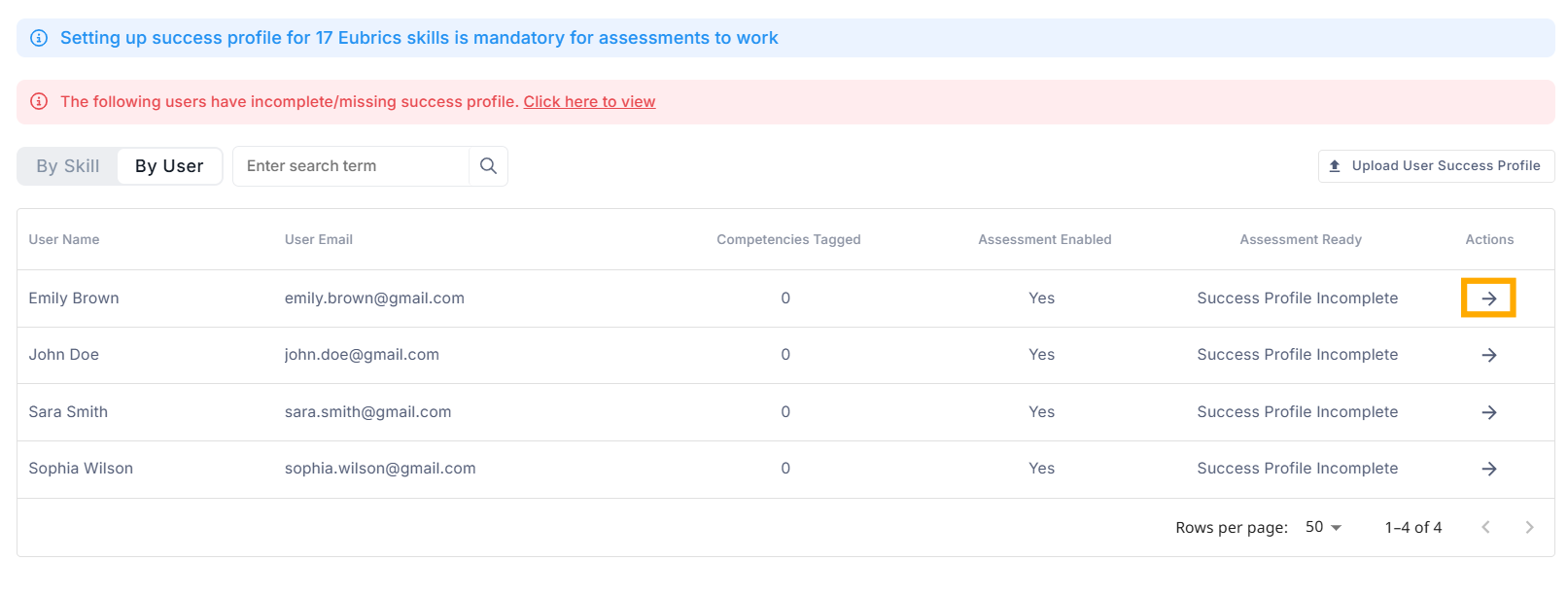
In the Success Profiles section, click the "By User".
-
Select the user and click on the action button.
-
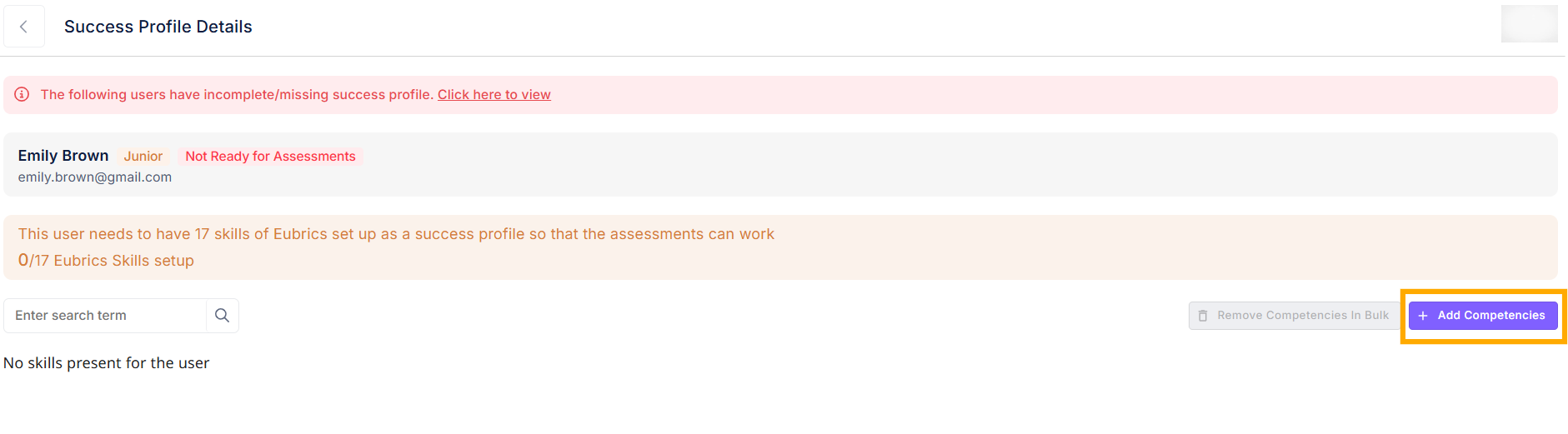
Click on the "Add Competencies".
-
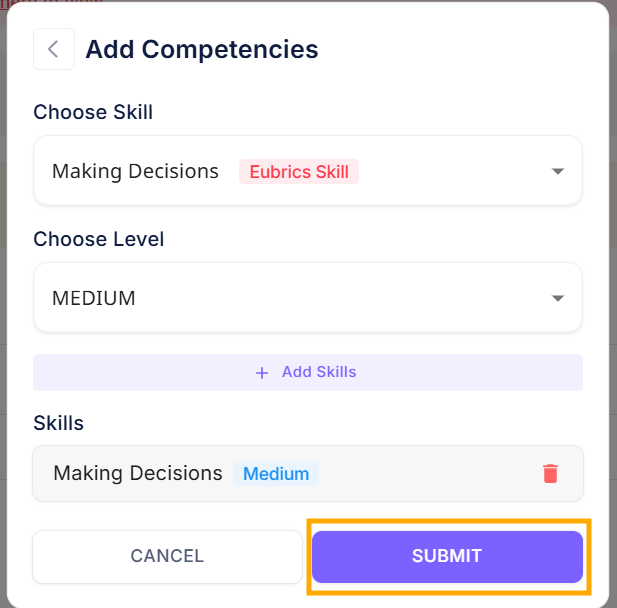
Choose the relevant skill, level and then submit.
¶ Frequently asked questions
1. What happens when the Success Profile is set up incorrectly?
If the Success Profile is configured incorrectly:
- Users may not have the correct competencies or learning paths associated with their role.
- Assessment results might not accurately reflect the user's skills.
- This can lead to gaps in the user's development journey, delaying progress and potentially affecting performance evaluations.
- Any reports generated based on the Success Profile may also be inaccurate.
2. How to verify Success Profile upload for accuracy?
To verify the accuracy of a Success Profile upload:
- Review the uploaded data: After uploading the profiles, check that all required fields (e.g., user name, competencies, skills) are correctly filled out.
- Cross-check with sample format: Ensure that the data in your file matches the required format as specified by the platform.
- Conduct a sample validation: Pick a few user profiles from the batch and verify that they have been correctly populated with competencies, skills, and learning paths.
- Check for missing or duplicate entries: Look for any discrepancies such as missing competencies or duplicate profiles that might have been uploaded by mistake.