¶ How to Create Modules
What are Modules
Eubrics Skills and Modules
¶ Eubrics Predefined Modules
Eubrics offers predefined modules that are ready for use. It is important to note:
- Predefined modules cannot be edited.
- You can rename predefined modules as per your organization’s naming conventions.
¶ How to Rename a Predefined Module
Step 1: Log in to the Eubrics Admin Panel
Use your administrator credentials to access the Eubrics platform.
Step 2: Navigate to the Module Creation Section
Look for the section labeled something like "Modules".
Here you can see the modules present in the system. You can click on any module to rename.
Step 3: Click on the Edit Button of a Particular Module
- Change the name of the module.
- Once the name is updated, click on Update Module.
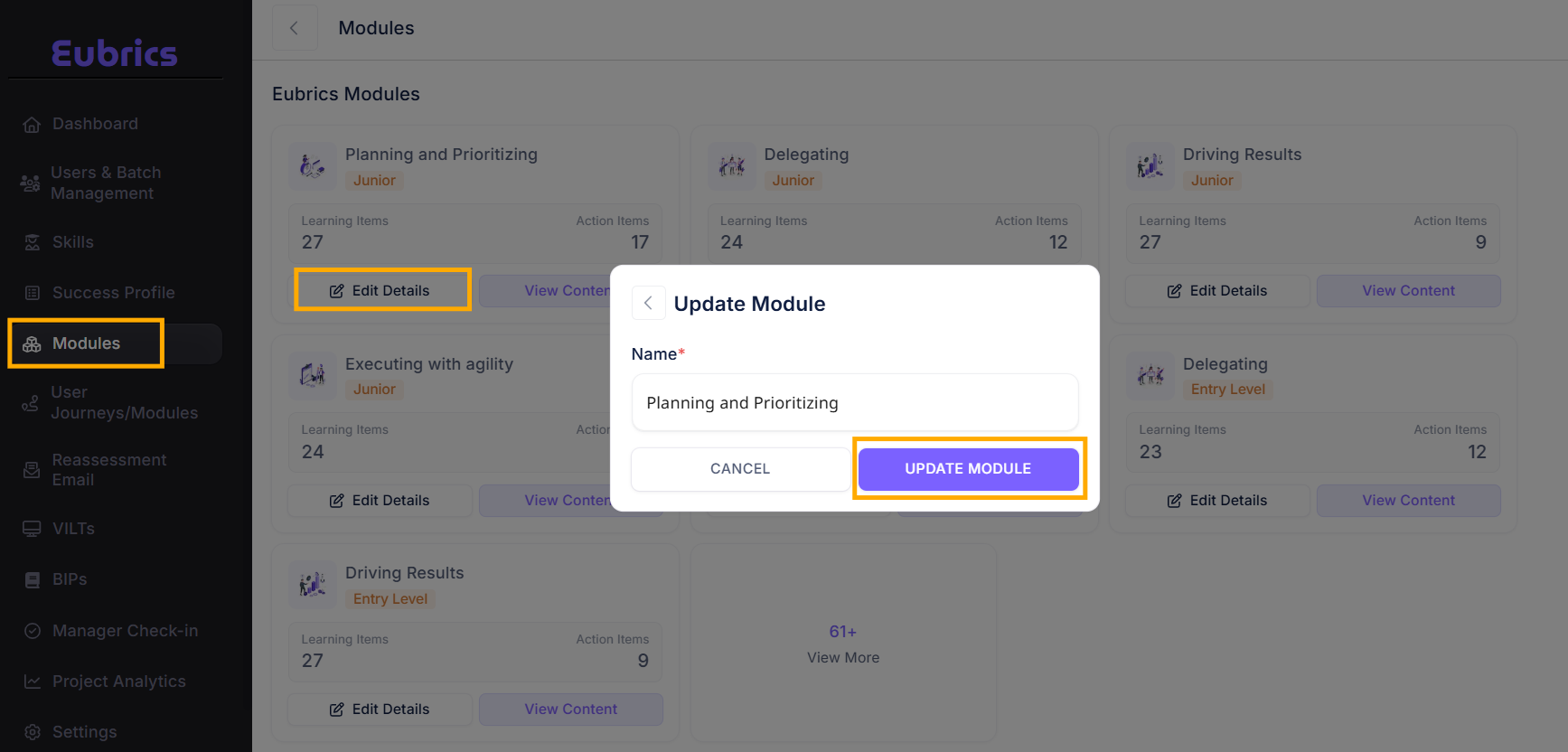
Note: These modules are static and intended to provide consistent structures across organizations.
For more details, visit the Eubrics Skills and Modules documentation
¶ Create Custom Module
Step 1: Log in to the Eubrics Admin Panel
Use your administrator credentials to access the Eubrics platform.
Step 2: Navigate to the Module Creation Section
Look for the section labeled something like "Modules".
Step 3: Create a New Module
-
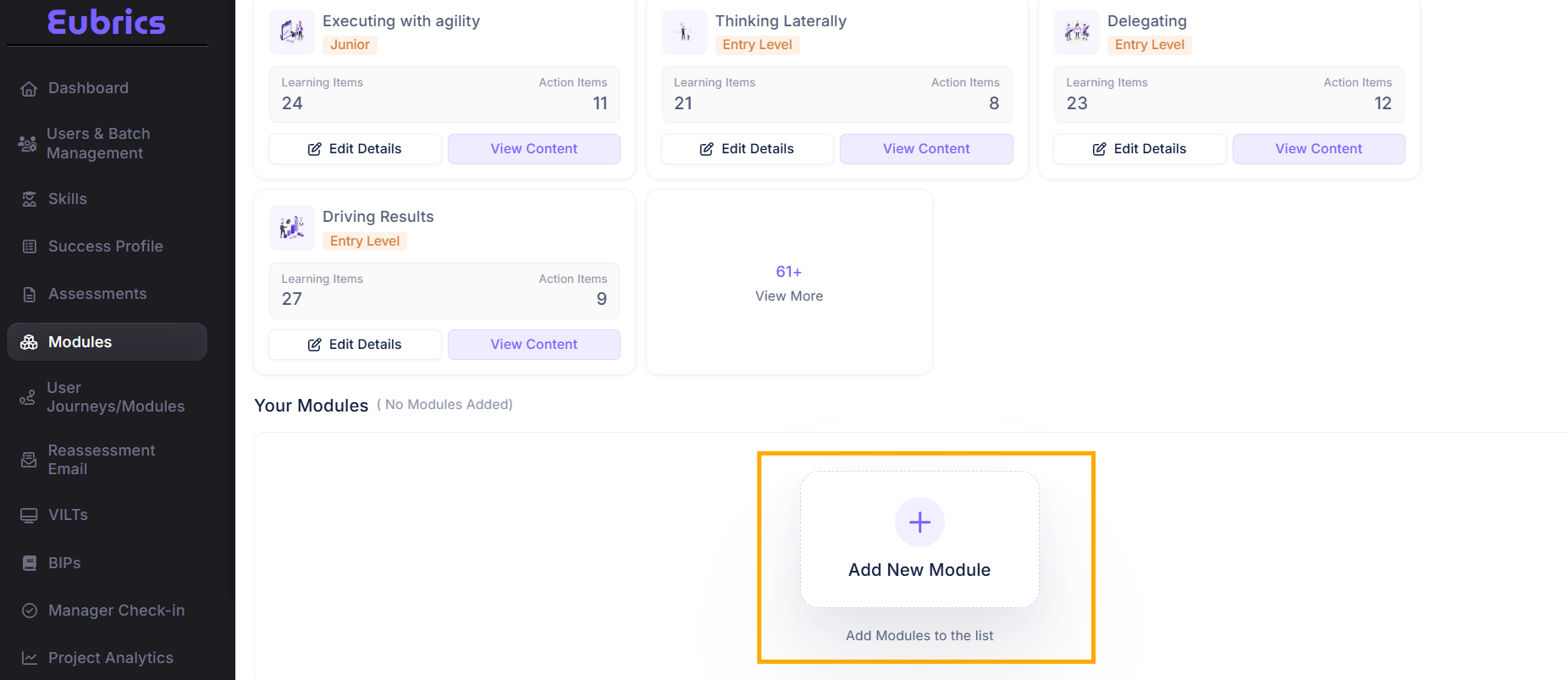
Click on ‘Add New Module’.
This will open a module creation form.
-
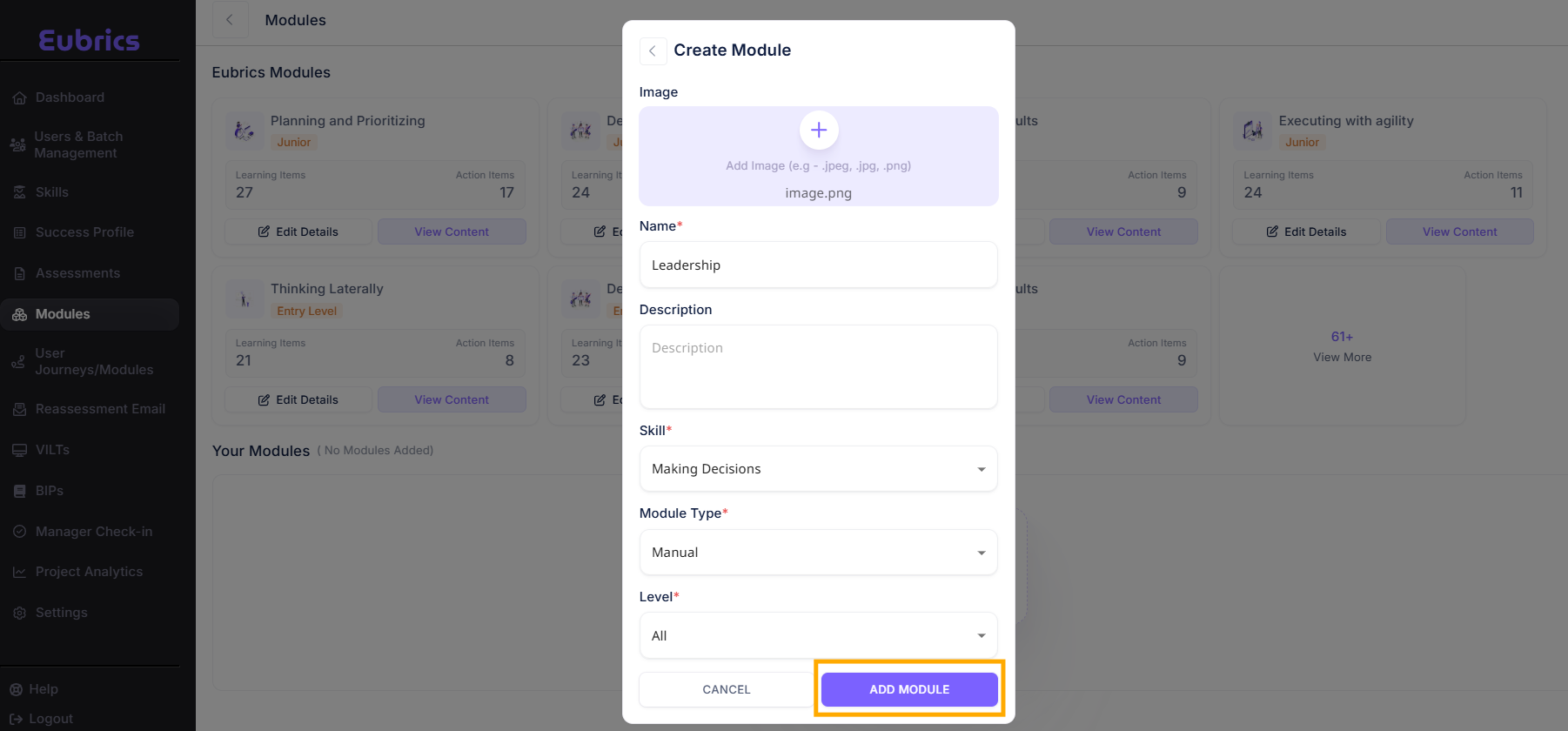
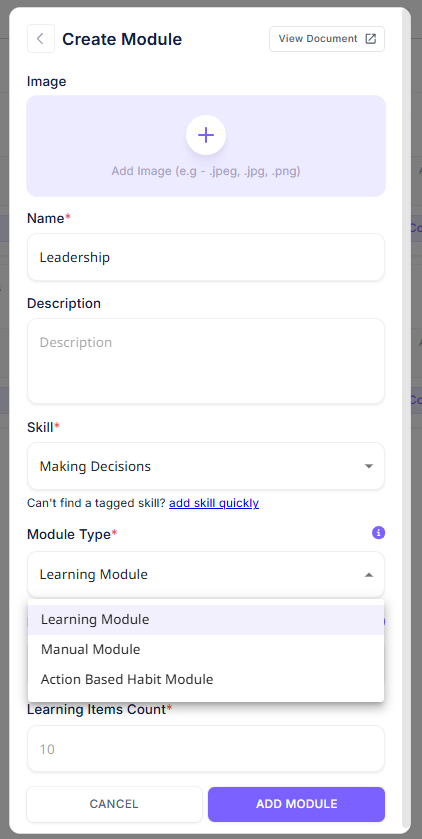
Enter Module Details:
- Name: Provide a clear, concise name for the module.
- Description: Add a brief description to explain the purpose of the module.
- Skill: Add skills this module targets.
- Module Type: Choose from Learning, Manual, Learning and Habit, Learning Habit, and Sustenance based on the requirement.
- Level: Choose the appropriate level for the module.
-
After adding all the details, click on Add Module.
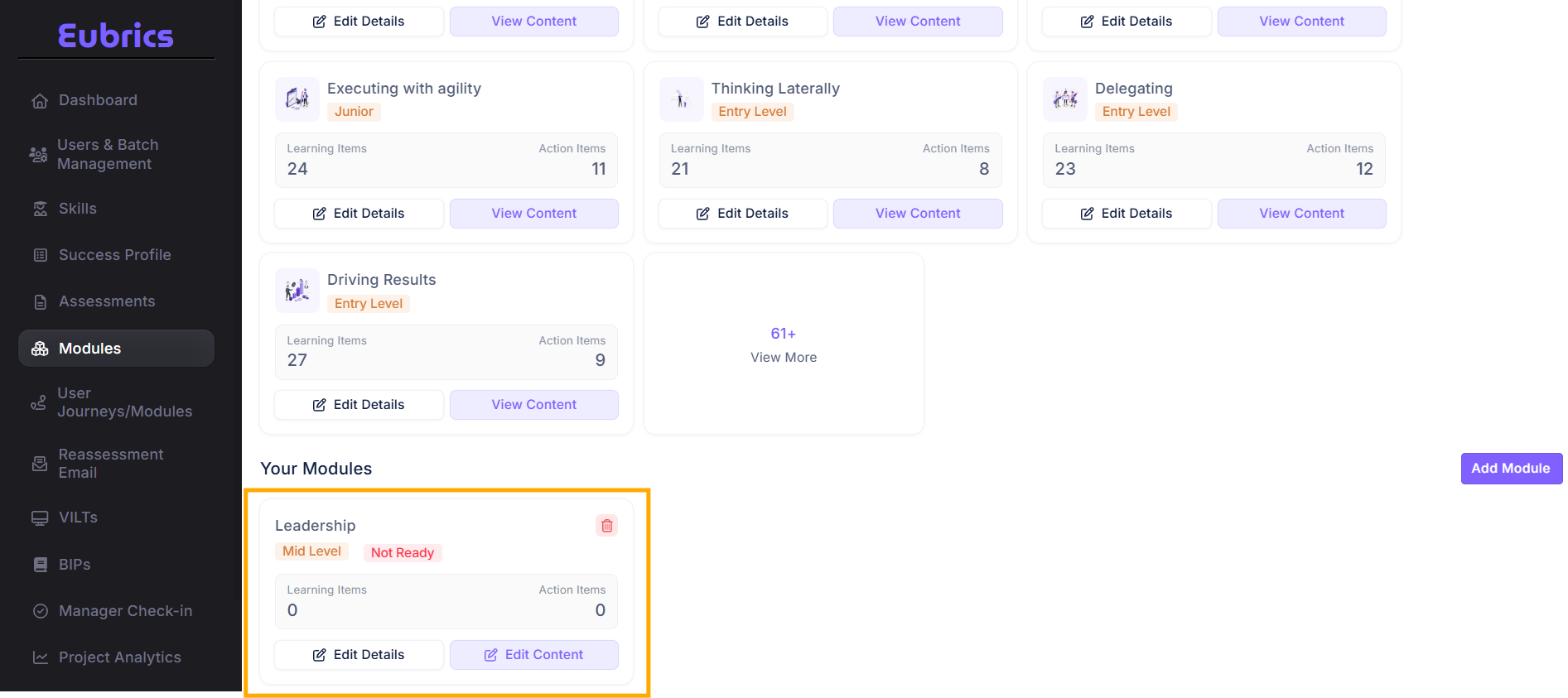
You will see the Custom Module created successfully.
¶ Module Types
Eubrics supports various module types, each serving different purposes:
- Learning Modules: Interactive, knowledge-based learning modules. Learn More
- Manual Modules: Step-by-step instructional modules. Learn More
- Action-Based Habit Modules: Modules focused on building habits through actionable steps. Learn More
 !
!
¶ Module States
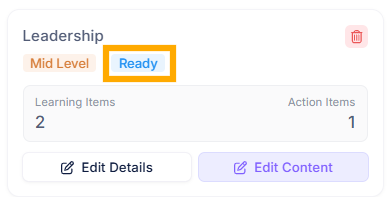
Each module can have one of two states:
- Ready: Indicates that the module is complete and can be used on the platform.
- Not Ready: Indicates that the module is incomplete and requires further action.
¶ What to Do When a Module is Not Ready
- Navigate to the module and review the checklist of required items.
- Add content to the module following the steps outlined for its type.
- Once all required elements are complete, the state will update to Ready.
Note: Until the module is in the "Ready" state, it cannot be used on the platform.
¶ Redesigning Module Content
When you create a module, it is initially empty. To make the module usable, you need to add content. For detailed instructions, refer to the links below:
A module in the "Not Ready" state cannot be utilized on the platform. Ensure all required content is added to transition it to "Ready."
¶ How to Create a Learning Module
To create a learning module:
- Navigate to the Modules section using the updated left navigation.
- Click Create New Module.
- Select Learning Module from the module type dropdown.
- Fill in the required fields:
- Module Name
- Description
- Skill
- Module Type
- Level
- Learning Items Count
- Click Add Module
¶ How to Create an Action-Based Habit Module
To create an action-based habit module:
- Navigate to the Modules section.
- Click Create New Module.
- Select Action-Based Habit Module from the module type dropdown.
- Fill in the required fields:
- Module Name
- Description
- Skill
- Module Type
- Level
- Learning Items Count
- Action Items Count
- Click Add Module.
For additional guidance, refer to the Habit-Based Modules Guide.
¶ Field Form Items
Both manual and action-based habit modules require specific form items to be completed during creation. These include:
- Module Name: A unique name for identification.
- Description: A brief overview of the module’s purpose.
- Steps or Actions: Specific steps learners must take (for action-based modules).
Refer to the appropriate module guides for a comprehensive breakdown of each field.