¶ How to Create Pre and Post Actions
¶ Overview
Pre Actions and Post Actions are optional features that help enhance the learning experience by providing additional resources before or after a Virtual Instructor-Led Training (VILT) session.
- Pre Actions: Used to share preparatory materials with participants before the session.
- Post Actions: Used to share follow-up resources after the session.
¶ Steps to Create a Pre Action
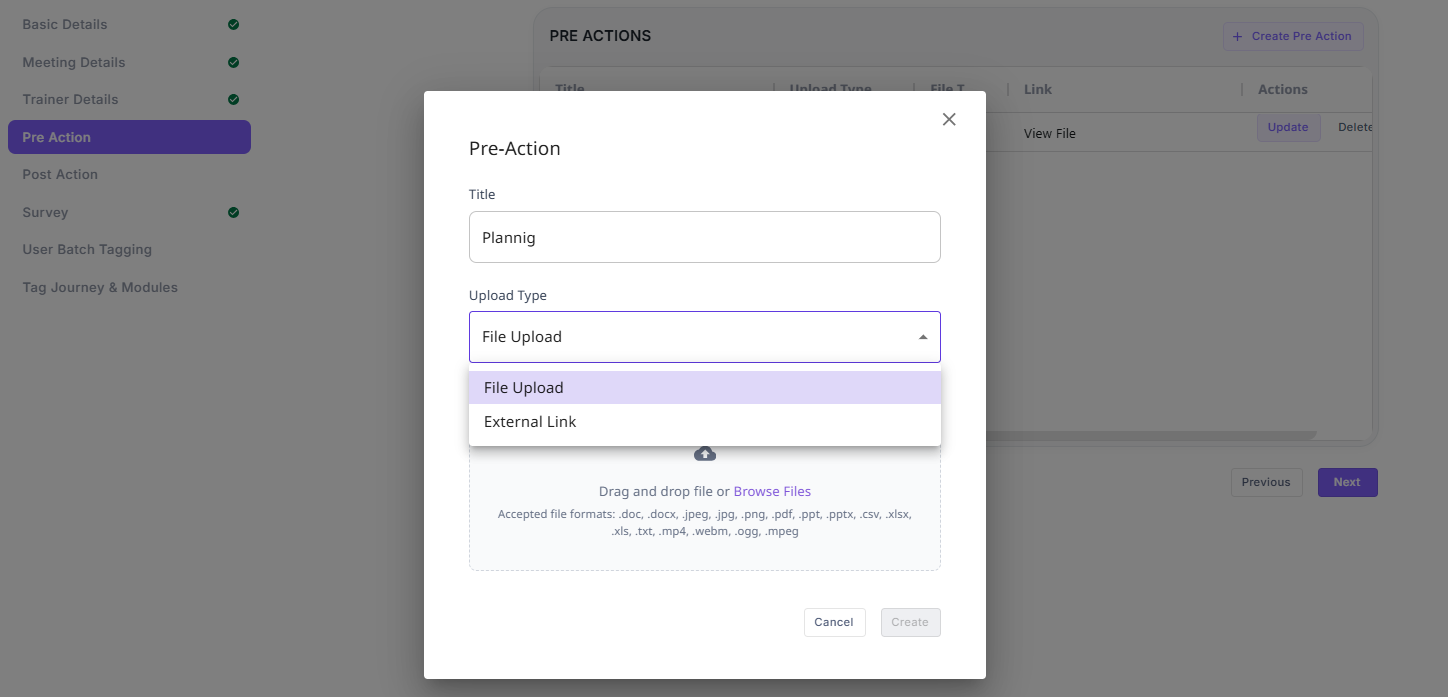
- Navigate to the Pre Action section in the VILT session editor.
- Click on Create Pre Action.
- Enter a Title for the action.
- Select the Upload Type:
- File Upload: Upload a file from your system.
- External Link: Provide a URL for an external resource.
- If File Upload is selected, drag and drop the file or click on Browse Files to select one.
- Click on Create to save the Pre Action.
¶ Steps to Create a Post Action
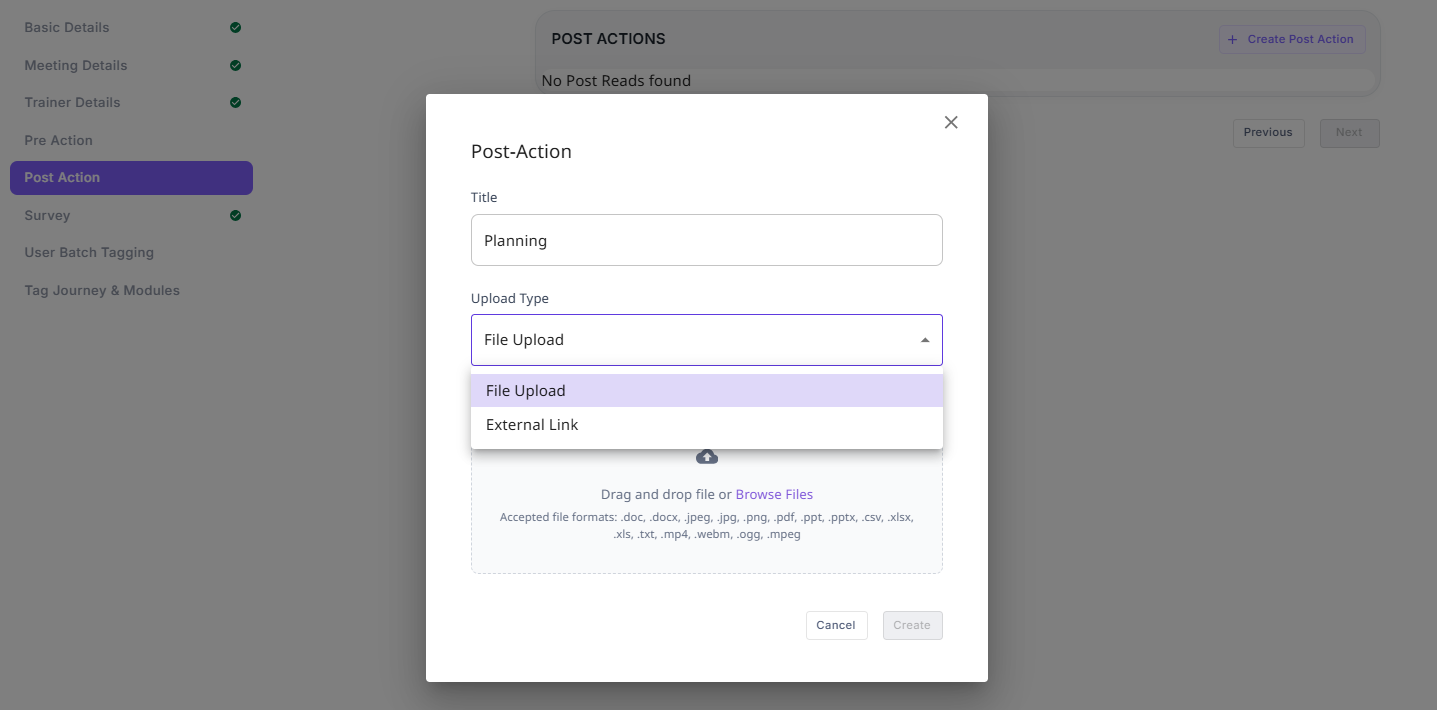
- Navigate to the Post Action section in the VILT session editor.
- Click on Create Post Action.
- Enter a Title for the action.
- Select the Upload Type:
- File Upload: Upload a file from your system.
- External Link: Provide a URL for an external resource.
- If File Upload is selected, drag and drop the file or click on Browse Files to select one.
- Click on Create to save the Post Action.
¶ Supported File Formats
Both Pre and Post Actions support the following file types:
- Documents:
.doc,.docx,.pdf,.txt,.csv,.xlsx,.xls - Images:
.jpeg,.jpg,.png - Presentations:
.ppt,.pptx - Videos:
.mp4,.webm,.ogg,.mpeg
These actions ensure that participants have access to relevant materials before and after the session, improving engagement and learning outcomes.