¶ Creating a Virtual Instructor-Led Training (VILT) in Eubrics
¶ About VILT in Eubrics
Virtual Instructor-Led Training (VILT) is a structured online learning method where live training sessions are conducted via platforms like Zoom or Google Meet. Eubrics serves as a management platform to organize, track, and enhance VILT sessions by providing structured workflows, attendance tracking, and post-session activities.
¶ Navigation to VILT Sessions
To create or edit a VILT session:
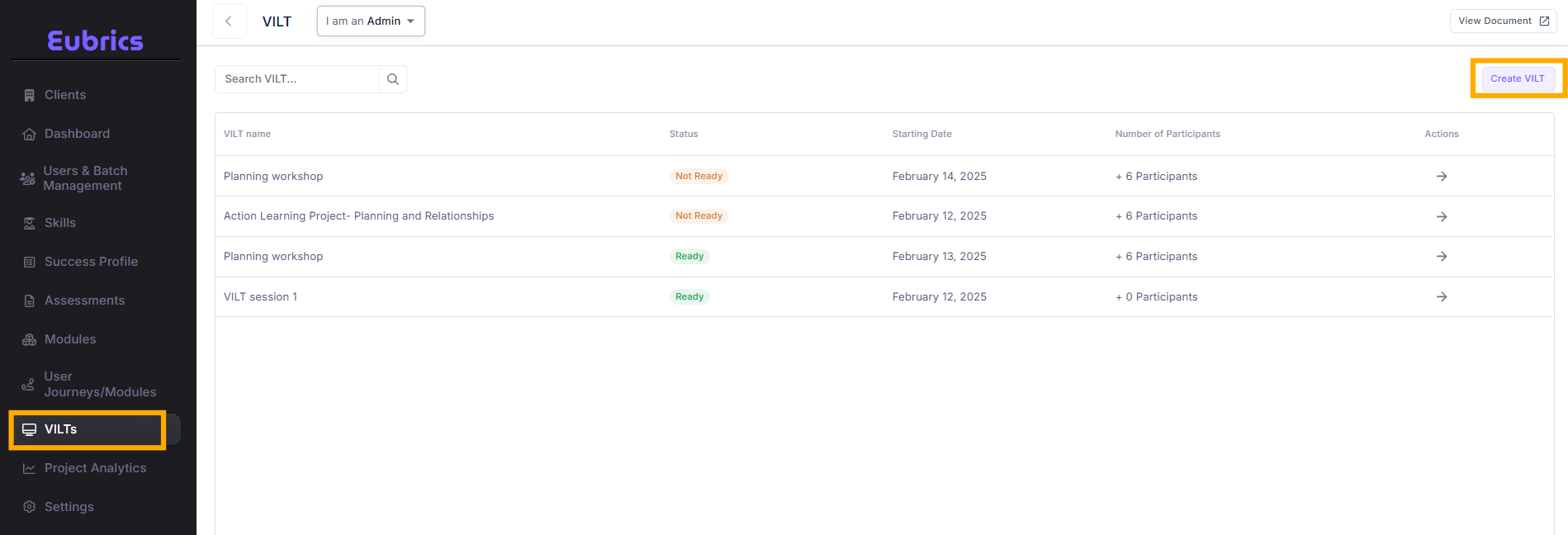
- Go to the VILT section on the left-hand menu in Eubrics.
- View the list of VILT sessions and locate the desired session.
- Click on the session name or use the “Edit” button to modify an existing VILT.
- A multi-step process will guide you through setting up the session.
¶ Understanding the VILT Fields
¶ Basic Details
¶ 1. Title
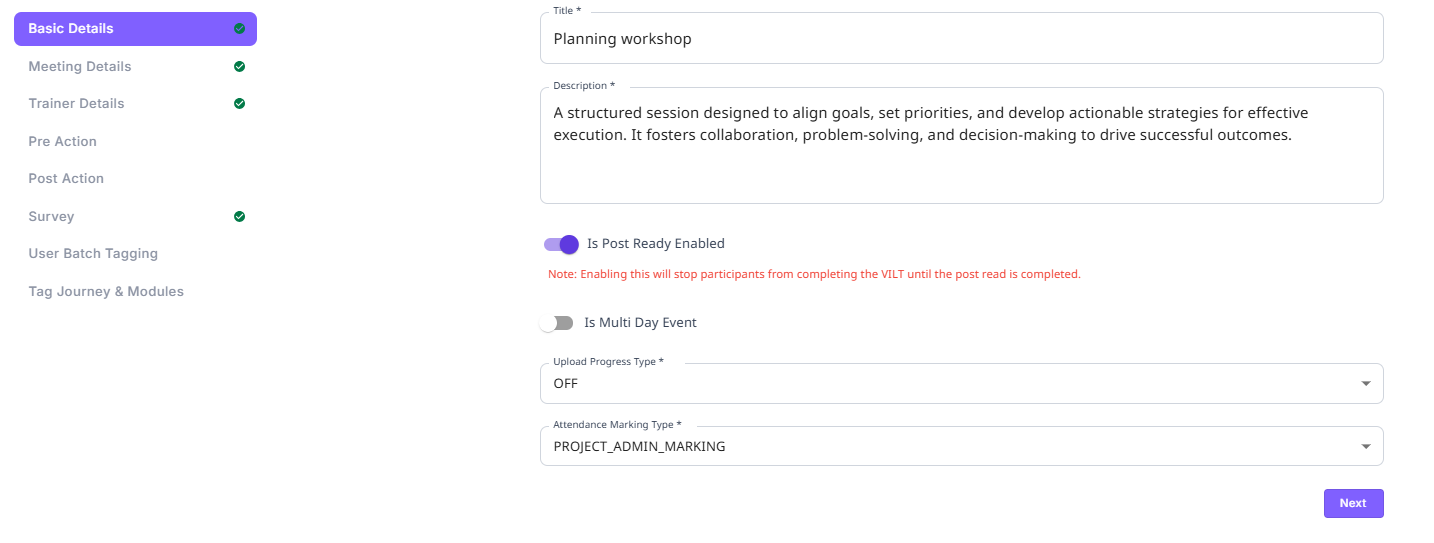
- The name of the session, e.g., "Planning Workshop."
- This helps in identifying the training session.
¶ 2. Description
- A brief overview of the session, including objectives and expected outcomes.
- Example: "A structured session designed to align goals, set priorities, and develop actionable strategies for effective execution."
¶ Post-Read Feature
¶ What is Post-Read?
- Post-reads are materials (summaries, key takeaways, action items) provided after the session to reinforce learning.
¶ What Happens When "Post-Read Enabled" is Turned On?
- Participants cannot mark the VILT as complete until they finish the post-read.
- If no post-read is added, participants will be blocked from completing the session.
¶ Multi-Day Event
¶ What is a Multi-Day Event?
- If a VILT session spans more than one day, this option must be enabled.
- The start date and end date cannot be the same when this is turned on.
¶ What Happens When Multi-Day Event is Enabled?
- Multiple session dates are scheduled.
- Emails and reminders may be sent to participants every day.
- Attendance and progress tracking are adjusted for multiple days.
¶ Upload Progress Type
Eubrics provides different ways for participants to update their learning progress after attending the session:
¶ Types of Progress Tracking:
- OFF – No progress update is required from the user.
- Optional – Users can choose whether to update progress after the session.
- Mandatory – Users must update their progress before marking the VILT as complete.
Organizations that want to track learner engagement should set this to "Mandatory."
¶ Attendance Marking Type
Attendance tracking ensures that participation is recorded.
PROJECT_ADMIN_MARKING, meaning that attendance is marked by an admin or project leader.
SELF MARKING, meaning that attendance is marked by the user themself.
¶ Finalizing the VILT Setup
After entering all the necessary details:
- Click the "Next" button to proceed.
- Add meeting details, trainer details, pre-actions, post-actions, and surveys as required.
- Ensure all necessary fields are filled before finalizing the session.